

What the 3-2-1 rule means
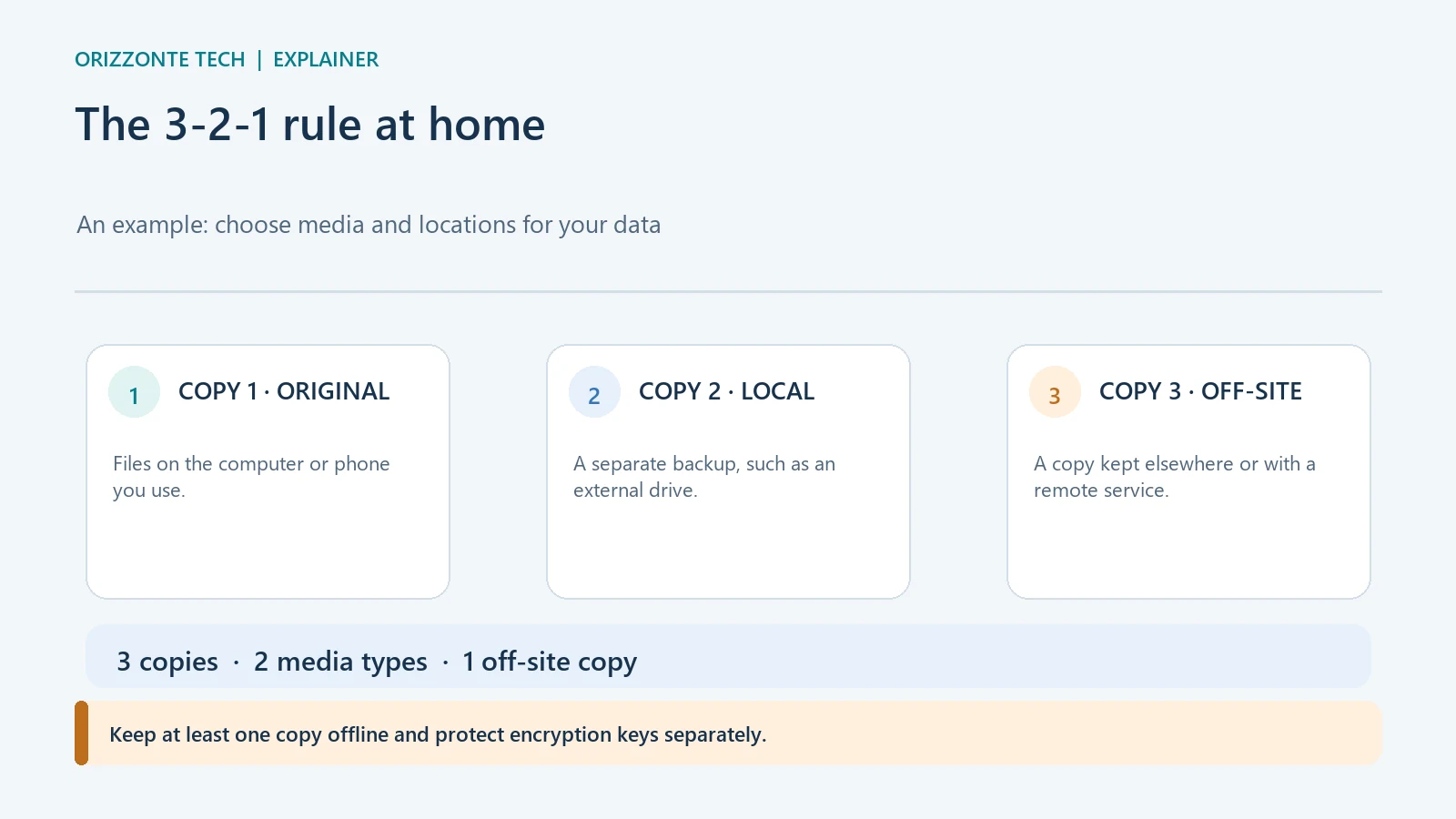
The 3-2-1 rule suggests keeping three copies of your data, on two types of media, with one copy stored off-site. It is a simple way to think about redundancy, not a guarantee that recovery will work. A backup is useful only if it is current, protected and restorable, so periodically try opening files that you have recovered.
What 3-2-1 means
NIST describes the rule in a guide for managed service providers: one primary copy plus two backups; two types of media; one copy off-site. The guide is written for professional providers, but the pattern can also help when planning protection for personal photos, documents and files. A household and a business do not have identical needs.
A home example could be the copy on a computer, a backup on an external drive that is disconnected after use, and a copy kept away from home or with a remote service. This is not the only possible setup, and it does not mean every file needs to be duplicated in exactly the same way. Start by identifying what would be difficult or impossible to recreate.
A backup is not the same as syncing
A sync service keeps copies consistent across devices. That is convenient, but a deletion or unwanted change can propagate to other synced copies. CISA’s ransomware guidance warns that encrypted data can propagate to synced cloud services; for important copies it recommends backups that are encrypted, offline and checked regularly.
Keep at least one copy that is not always reachable from the device you use every day. Protect media containing sensitive data with a strong password or key, and keep the information needed to decrypt it somewhere separate. If the key is lost, an encrypted backup may be unusable.
How to test a restore
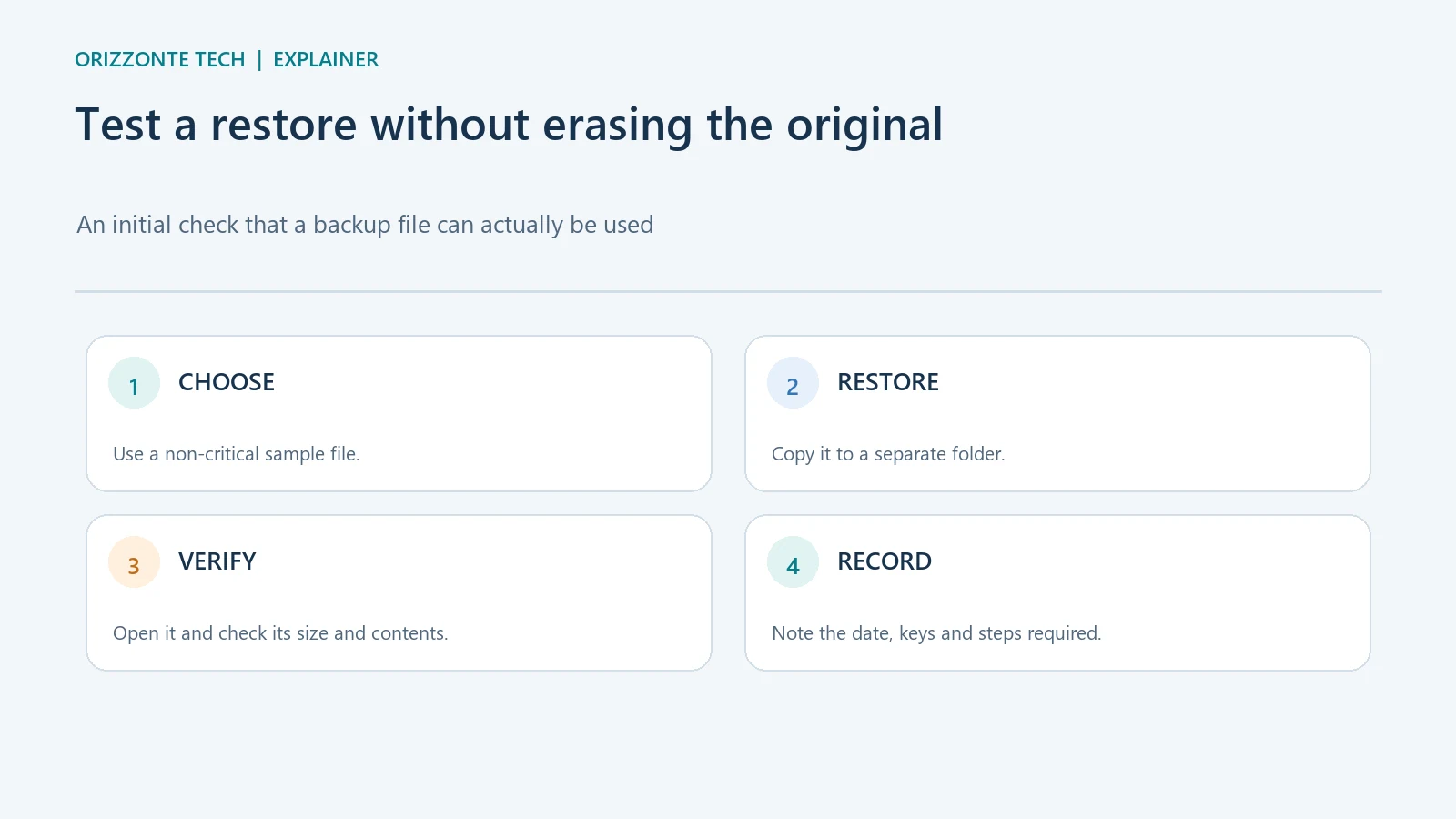
You do not need to start by erasing or reformatting the original device. Choose a non-critical file and use the restore function to copy it into a separate folder. Check that the file exists, has a plausible size and date, and opens in the expected app. If the backup keeps versions, check that you can select the version you need.
For a more complete test, record how long recovery takes and which accounts, keys or connections it requires. Successfully restoring one file does not prove that an entire computer can be rebuilt; that requires a separate test suited to the device.
A sustainable routine
Decide which folders to include and how often their contents change. Enable the protection or encryption offered by the chosen system or service, keep an offline copy separate and set reminders to check the result. After a major change—such as a new computer, phone, service or key—review the recovery steps again.
Sources and limits
- NIST NCCoE — protect data and test backup files — describes the 3-2-1 rule in the managed-service-provider context.
- CISA — StopRansomware Guide — recommends offline, encrypted backups and regular checks of availability and integrity.
Sources checked on 29 October 2026. This is an informational procedure; no restore was performed on the user’s devices or data.


Comments
Comments
Join the discussion respectfully: reasoned criticism is welcome; avoid threats, abuse, personal data and promotional links.
To join the discussion, you'll need to sign in with your WordPress.com account. This feature will be available when the site launches.