

What still works without Internet
Before a trip, you can download part of a map and use it when your connection drops. Google Maps lets you save offline areas on Android, iPhone and iPad; without a connection, driving directions work when the whole route stays inside the saved area. Apple Maps, from iOS 17, also documents offline place information and directions for several travel modes. Coverage, storage and updates all matter, so prepare the map while you are still online.

Google Maps on Android and iPhone: download the area before you leave
Google Maps supports offline map downloads on Android phones and tablets, iPhone and iPad. On either platform, open your profile picture or initial, go to Offline maps, choose Select your own map, adjust the frame to cover the area you need, then tap Download. You can also search for a place and start the download from its place sheet; Google documents slightly different steps on Android and iOS. You need an Internet connection to download; on Android, sign in to Google Maps, and on iPhone or iPad, do not use Incognito mode. Menu labels can vary by app version.
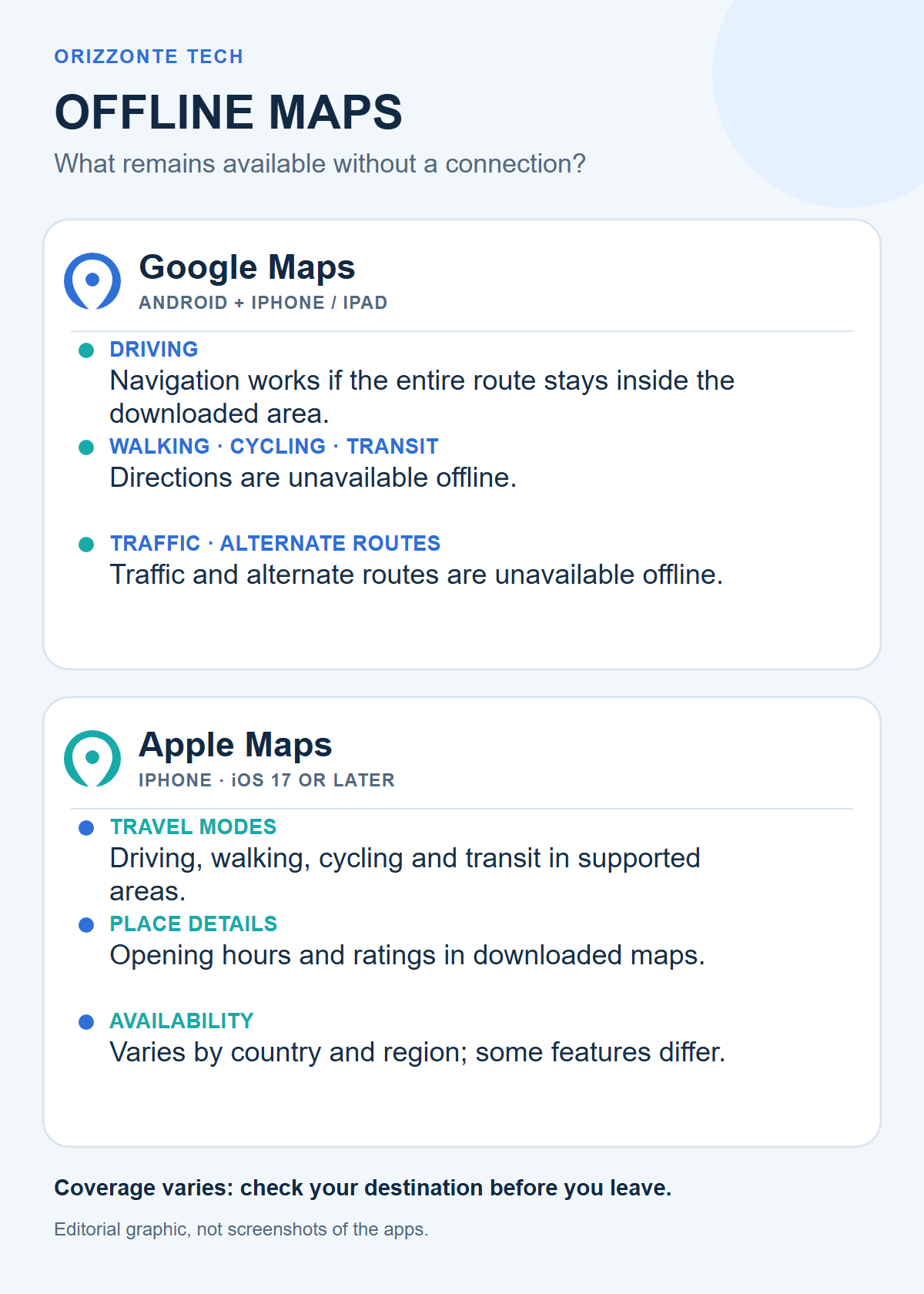
The Google Maps guide for Android and the guide for iPhone and iPad describe the same main limitations: offline driving directions work only when the entire route is inside the downloaded area; transit, cycling and walking directions are unavailable. Without a connection, traffic information and alternate driving routes are also unavailable. Google says downloads are not offered in some countries and regions because of contractual, language, address-format or other restrictions.
Search, updates and Google Maps limits
Google’s help page says to use the app normally after downloading an area, but it does not provide an exhaustive list of which search results and place details are always available without a connection. To be safe, look up key destinations online, check that they fall inside the saved map, and keep important addresses somewhere else as well.
Offline maps expire. When an area is due to expire within 15 days and the device is connected to Wi-Fi, Google Maps tries to update it automatically. If that does not work, update the map manually before it expires. If you change the storage location, Google says you need to download the area again.
Apple Maps on iPhone: offline maps from iOS 17
Apple says offline maps are available with iOS 17 or later. In Maps, search for a place and tap Download, or open your profile picture, go to Offline Maps, add a map and adjust its area before starting the download. The app shows the file size, which helps if device storage is limited.
According to Apple’s offline maps documentation, with iOS 17 or later a downloaded map can provide information such as opening hours and ratings, turn-by-turn directions for driving, walking, cycling and transit, and estimated arrival times without Wi-Fi or mobile data. Availability is not universal: offline maps cover selected areas and features vary by country and region. Downloaded maps also do not automatically sync across devices.
Apple has Automatic Updates turned on by default. You can manage Wi-Fi or cellular downloads, enable storage optimisation, and choose to use offline maps only. That last setting keeps the app on downloaded maps even when an Internet connection is available.
Offline search is not the same as full connectivity
Apple describes place information and navigation features available offline, but its support page does not promise that every search, remote result or live update will continue to work. Google explicitly lists missing traffic and alternate driving routes. In practice, save addresses and stops while online, and treat the downloaded map as a fallback for documented features rather than a full copy of connected services.
What to do before a trip
Download an area large enough to cover the whole itinerary, with some margin around the planned roads. Then check that the download has finished, the map is current and the phone has enough free storage. A destination close to the edge of the saved area can become awkward if a detour takes you beyond it.
The clearest difference in Google’s official guidance concerns travel modes: offline use retains driving directions within the area, while transit, cycling, walking, traffic and alternate routes need a connection. Apple documents offline directions for more modes, but says availability depends on the region. Check the specific area in the app before travelling rather than assuming every feature works the same way in every country.
Offline maps reduce dependence on mobile coverage, but they do not replace planning. Downloading ahead, saving essential details and updating map data before departure remain the prudent approach.
Testing note: This article explains features described in Google’s and Apple’s official documentation; it is not a hands-on test on phones or real journeys.



Comments
Comments
Join the discussion respectfully: reasoned criticism is welcome; avoid threats, abuse, personal data and promotional links.
To join the discussion, you'll need to sign in with your WordPress.com account. This feature will be available when the site launches.